Cus industrial | Custom Manufacturing
Wizard Overview

Wrench Design Software

Design and customize a wrench in minutes using Cus industrial’s wrench design wizard.

  • 100k+ CAD Users.
  • 25+ Part Templates and Shapes.

Make a Custom Wrench

  1. Open Cus industrial CAD and select File > New.
  2. Expand the Wizards drop-down.
  3. From the list, select Wrench.
  4. Enter the desired parameters and click OK.
  5. In the workspace, add desired custom features as needed.

Wrenches, also known as spanners, are tools used to provide a mechanical advantage in applying torque to turn fasteners such as nuts and bolts. Open-ended wrench ends are often angled at approximately 15° to allow for the maximal range of movement in restrictive spaces. Wrenches are commonly made of tool steels and hardened for maximum strength.
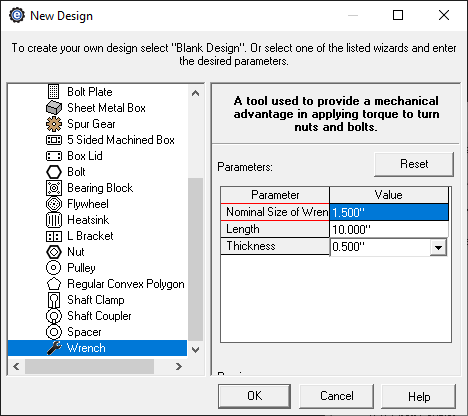
custom machined wrench creator menu in Cus industrial CAD
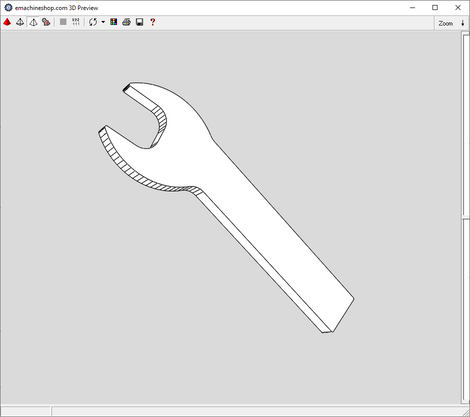
3D render of a custom machined wrench made in Cus industrial CAD

Resources

Cost-Savings Guide
Manufacturing Quote
Get FREE CAD
Custom Vehicle Parts
SHENZHEN HENGYI FOREIGN TRADE Co., Ltd.
Cusindustrial@protonmail.com

Request a manufacturing review

Send drawings and requirements for a personal quotation. Automatic CAD conversion and instant pricing are not offered here.

Tell us about your project

Upload a drawing or describe your part. Our team will review material, quantities and finishing requirements before preparing your quote.

PDF, STEP, STL, IGES, DXF, DWG or images. Up to 3 files; 10 MB per file, 20 MB total. Drawings are stored privately.

    No payment is collected when you send this request.